
Download After the Deadline – Free Grammar & Spell Checker for Firefox
Overview: Why After the Deadline Stands Out in Online Writing
In a world where most of our communication happens online, a single typo or misplaced comma can change the tone of a message, damage credibility, or even create misunderstandings. After the Deadline is a lightweight yet powerful Firefox add‑on that steps in as a personal proofreader, catching spelling mistakes, grammar slips, and even subtle style issues while you type. Whether you’re filling out a web form, composing an email, posting a status update on Facebook, or writing a blog article directly in the browser, the tool works silently in the background and alerts you only when you’re ready to review.
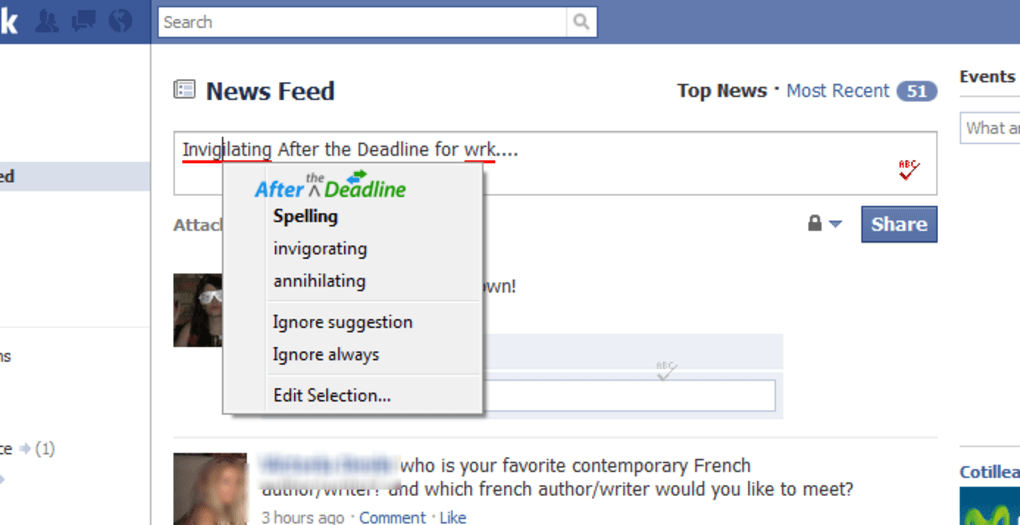
A small icon appears in the lower‑right corner of any text field; clicking it after you finish typing reveals corrections—grammar errors are highlighted in green, while spelling mistakes are underlined in red. The add‑on goes beyond the default Firefox spell‑checker by offering optional grammar checks for clichés, passive voice, and biased language, giving you granular control over the level of scrutiny. Its configuration panel lets you enable or disable specific checks, whitelist sites where you don’t want the tool to run, and even toggle the entire service with the handy F4 shortcut.
Because it runs locally and only contacts its server when you request a check, your data stays private and the performance impact is negligible. In short, After the Deadline delivers a smooth, unobtrusive proofreading experience that is ideal for anyone who values clear, error‑free writing on the web.
Key Features and How to Install the Add‑on
- Real‑time grammar checking with optional rules for clichés, passive voice, and biased language.
- Standard spell‑checking that highlights misspelled words in red.
- Customizable settings: enable/disable individual grammar checks, whitelist/blacklist sites, and set shortcut keys.
- Lightweight icon that appears only when you’re ready to review, keeping the interface clutter‑free.
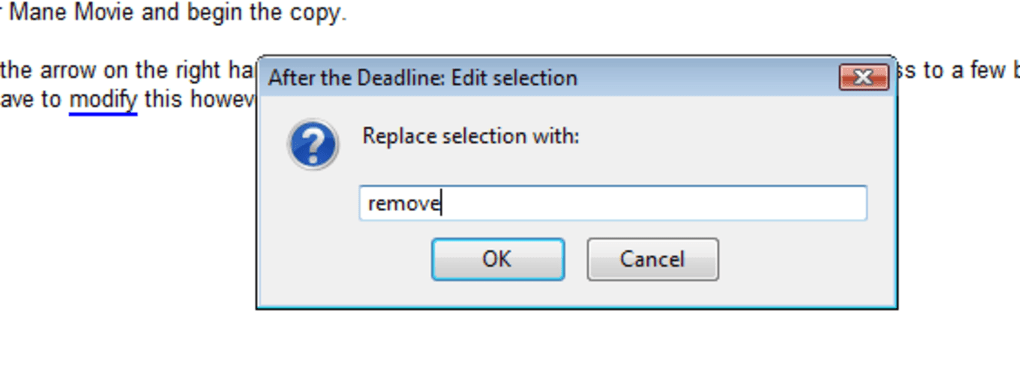
- One‑click correction suggestions that let you replace or ignore flagged issues instantly.
- Secure connection to the AtD server only when a check is requested, preserving privacy.
- Support for Firefox 4.0 and later, with automatic updates via the Mozilla Add‑ons Marketplace.
Installation Steps for Firefox Users
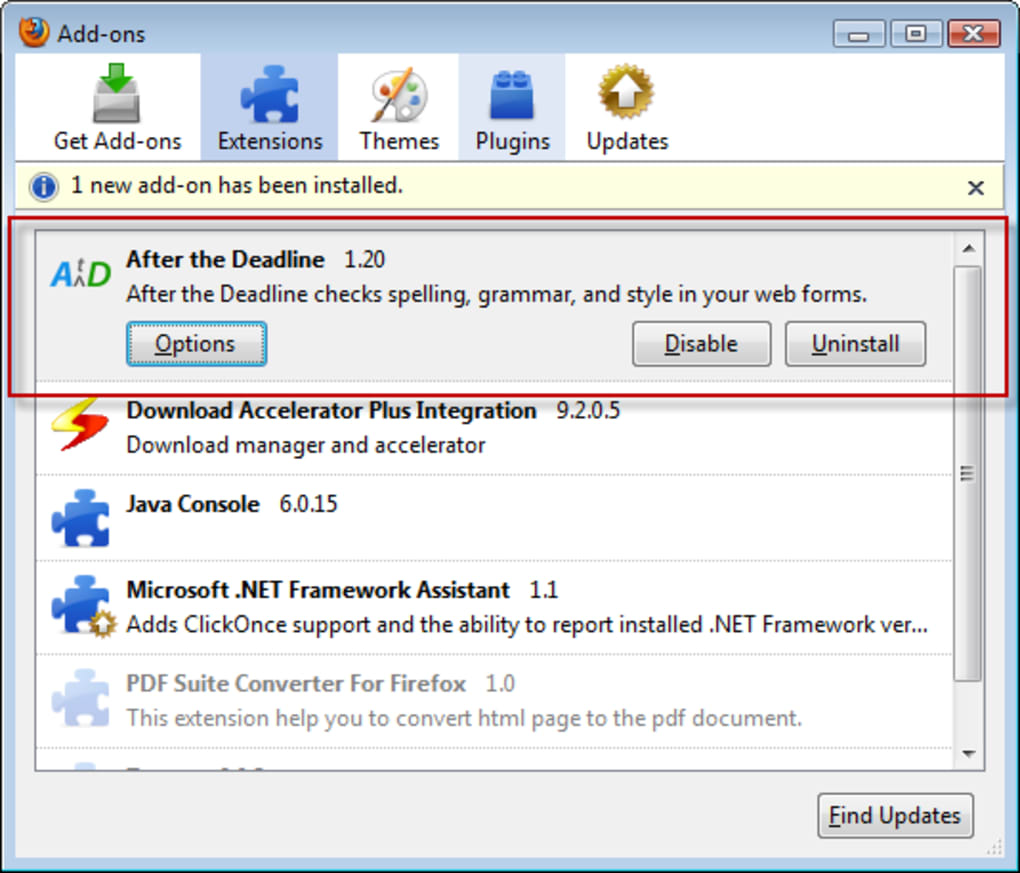
Installing After the Deadline is straightforward and can be completed in under two minutes. First, open Firefox and navigate to the official Mozilla Add‑ons page for After the Deadline. Click the “Add to Firefox” button; a prompt will appear asking for permission to install the add‑on.
Confirm the installation, and Firefox will download the package automatically. Once the download finishes, a small notification will confirm that the add‑on is ready to use, and the After the Deadline icon will appear in the toolbar. For users who prefer manual installation, you can download the .xpi file from the developer’s website, then drag and drop the file into an open Firefox window.
The browser will ask you to confirm the installation; click “Add” and the add‑on will be activated instantly. After installation, access the preferences panel by clicking the icon and selecting “Options.” Here you can fine‑tune which grammar checks are active, add sites to the exclusion list, and assign your preferred shortcut (F4 by default). The add‑on will automatically check for updates each time Firefox starts, ensuring you always have the latest rule set and security patches.
Compatibility, Performance, and Real‑World Usage
After the Deadline is built specifically for the Firefox browser, supporting versions from Firefox 4.0 up through the current release at the time of writing. Because it is an add‑on, it works on any operating system that runs Firefox, including Windows, macOS, Linux, and even mobile versions of Firefox where add‑on support is available. The extension does not require any additional software or background services, making it a truly “download‑and‑run” solution.
Pros and Cons
- Pros:
- Highly customizable grammar checks that go beyond basic spell‑checking.
- Simple, non‑intrusive UI that only appears when you need it.
- Lightweight footprint – minimal impact on browser speed.
- Free to download and use, with optional donations for continued development.
- Secure, with checks performed only when you initiate them.
- Cons:
- Spell‑checking quality is comparable to Firefox’s built‑in checker, offering no significant improvement.
- No native support for browsers other than Firefox (e.g., Chrome, Edge).
- Grammar suggestions can occasionally be overly aggressive, flagging stylistic choices that the writer may intentionally keep.
- Requires an internet connection for grammar checks, as the analysis is performed on the AtD server.
Overall Rating: 4 out of 5 stars
Frequently Asked Questions
Is After the Deadline completely free?
Yes, the add‑on is free to download and use. The developers accept donations, but there is no charge for any of the core features.
Can I use After the Deadline on browsers other than Firefox?
Currently the extension is built exclusively for Firefox. There are similar tools for Chrome and Edge, but they are separate projects.
Do I need an internet connection for the grammar checks?
Yes, the grammar analysis is performed on the After the Deadline server, so an active connection is required each time you run a check.
How do I disable the add‑on on a specific website?
Open the After the Deadline options panel, locate the “Exclude sites” field, and add the domain (e.g., example.com). The add‑on will skip all pages on that domain.
Can I customize which grammar rules are applied?
Absolutely. The settings page lets you toggle individual checks such as clichés, passive voice, and biased language, giving you full control over the proofreading depth.
Conclusion – Should You Download After the Deadline?
If you spend a significant amount of time writing in a web browser and want a reliable, low‑overhead tool to polish your prose, After the Deadline is a solid choice. Its grammar‑checking capabilities fill a gap that native spell‑checkers often leave, and the ability to fine‑tune the rules makes it adaptable to both casual users and professional writers. While it does not dramatically improve spelling detection, the overall value—especially considering it’s free and easy to install—justifies giving it a try. For Firefox users on Windows, macOS, or Linux who appreciate a “set‑and‑forget” proofreading assistant, the add‑on delivers on its promise of a smoother, more confident online writing experience. Click the download button below, add it to your Firefox browser, and start writing with fewer errors today.







